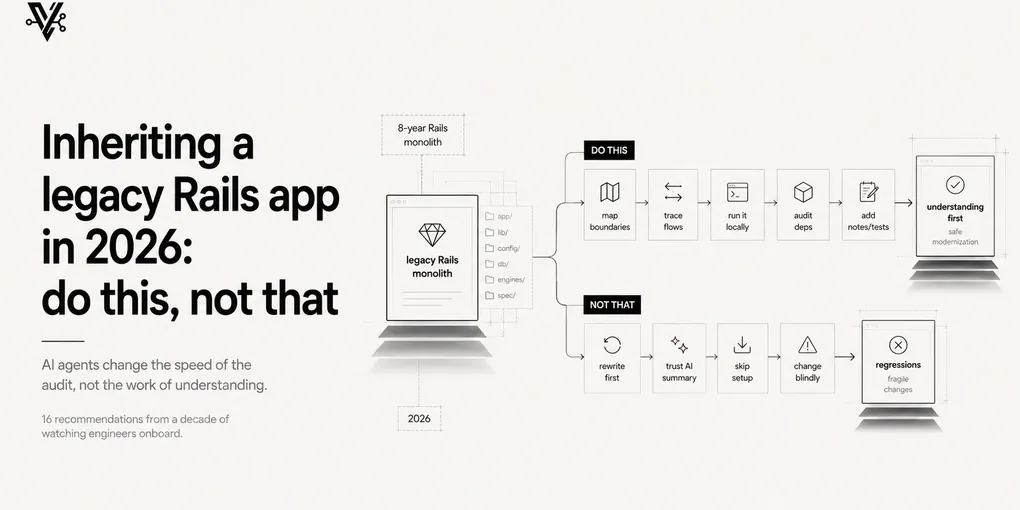
Inheriting a legacy Rails app in 2026: do this, not that
You land on the project. Day one. You open the repo expecting “new” and instead find an eight-year-old monolith full of fixtures with mysterious names, a lib/ folder that’s clearly a graveyard, and a models/user.rb that’s 1,400 lines long. You can tell within five minutes that a small battalion of engineers has marched through this code over the years. Some of them knew what they were doing. Some of them clearly didn’t.
If you’re a Rails developer in 2026, this is still your most likely scenario. Rails turned 21 last year. Shopify, GitHub, GitLab, Basecamp, parts of Stripe, and most YC seed-stage backends still ship it. The new greenfield Rails app is rare; the inherited Rails monolith is the default.
What’s changed is the toolkit. AI agents make the archaeology faster — sometimes dramatically faster. But the work of understanding a legacy codebase didn’t go away. It moved. And the new failure modes are sharper than the old ones.
I’ve watched a lot of engineers onboard onto inherited Rails projects over the years. The ones who do it well share a small set of habits. The ones who struggle share a different, equally consistent set. Here’s the pattern.
Don’t
1. Don’t suggest rewriting it. Not in week 1, not in week 4.
Every engineer who lands on a legacy codebase considers a rewrite within the first 48 hours. It’s a reflex, not an analysis. You’re looking at eight years of patches you don’t understand yet, and the brain reaches for the easiest model: start over.
Rewrites of working production systems almost always fail. The reasons it works today are encoded in the parts you’re calling ugly. Sit with the discomfort. The instinct will pass in three weeks and you’ll be embarrassed you had it.
2. Don’t blame the previous team.
Every codebase was rational from the inside at the time. The 1,400-line User model wasn’t written by an idiot — it was written by someone shipping urgent things while the company was growing faster than the architecture could keep up with, and you would have written something worse under the same constraints.
Blame closes off the curiosity you need to actually understand what’s there. The codebase is data; treat it like an archaeologist treats a site, not like a critic treats a draft.
3. Don’t reformat, restyle, or rename on your first PR.
Tempting. Free wins. Your IDE is begging you. Don’t.
A first PR full of style fixes signals to the team that you don’t respect the prior work, that you’re more interested in being seen than in being useful, and — worst — that you might be the kind of engineer who refactors first and understands second. You’re trying to build trust. Trust is built by adding value first, then earning the right to opinion.
4. Don’t trust an AI summary of “what this code does.”
This is the new failure mode and it’s a sharp one. Ask Claude or any agent to explain a controller, a callback chain, a Sidekiq worker. It will tell you. The explanation will sound right. It will read confident, structured, articulate.
It will also be wrong on exactly the things that matter most: the legacy edge cases. LLMs reconstruct semantics from method names, comments, and patterns they’ve seen in training data. And in a Rails codebase that’s grown for eight years, User#activate! started as three lines and is now doing twelve different things across callbacks, observers, and Concerns. The name says “activate.” The actual behavior is whatever the team’s been bolting on. The naming-based summary is exactly the summary you can’t trust.
Use AI to find the code. Read the code yourself to know what it does.
5. Don’t refactor a file you don’t have tests for.
You aren’t refactoring. You’re rewriting blindly and hoping. Production Rails monoliths have edge cases that exist only in customer data — the kind of thing no test suite covers because the engineer who knew about it left in 2021 and the rest of the team forgot.
If a file has no tests and you want to change it, write the tests first. If you can’t write the tests because you don’t understand the behavior well enough — that’s the answer. You don’t understand it well enough.
6. Don’t read the codebase alphabetically.
The filesystem is not the topology. app/controllers/a_controller.rb is not where the program starts. The program starts at a route, hits a controller, fans out into models and services and callbacks and jobs, and exits somewhere. That graph is what you need to understand. The folder structure is the wrapping paper, not the gift.
7. Don’t ignore the migrations folder.
db/migrate/ is the only part of a Rails app where nobody bothers to lie. Tests get rewritten, code gets refactored, READMEs go stale — but the migration that ran on production in 2019 still exists in the folder, in chronological order, with the original developer’s name on it.
Read migrations chronologically. You’ll find the schema’s biography: which features got built, which got abandoned, which columns are still there but unused, which constraints were added in panic at 3am. It’s the most honest documentation a Rails app has.
8. Don’t propose architecture changes in week 1.
Even if you’re right. Especially if you’re right.
You haven’t earned the credibility yet. Your “we should extract this into a service” sounds like every other new hire’s pitch, and the team has heard it before from people who left three months later. Write the architecture proposal in your notes. Sit on it. Bring it up in week 8, after you’ve shipped real work. It will land 10x harder.
Do
9. Run the test suite before you touch anything.
Get the baseline. How many tests? How many pass? How long does the full suite take? How many are flaky? Write the answers down.
Now you know the actual state of the project, not the state the README claims. You also have a number to compare against later, when something breaks and you’re trying to figure out if it was your change or it was already broken.
10. Read the README first, even if it’s outdated.
A bad README still tells you what the team thought they were building, what they wanted you to think it was, and what they were embarrassed about (the missing sections). That’s half the story right there. Cross-reference with the code, note the gaps, and ask in standup about anything that’s clearly stale.
11. Pick one user flow and trace it end-to-end before reading random files.
Login. Checkout. Signup. Password reset. Whatever the most important user path is. Trace it from the route to the response. Read every controller, model, service, and job it touches. Draw it on paper.
You will understand more about this codebase from one full end-to-end trace than from a week of grep. Random-access reading produces random-access understanding.
12. Talk to whoever shipped the most recent commits.
Open git log --since="3 months ago" --format="%an" | sort -u. The names you see are your archaeologists. Twenty minutes with the person who last touched the billing module will save you a month of reverse-engineering it.
This is the highest-leverage thing on this list and the most often skipped, usually because new engineers feel embarrassed about not knowing something. Get over it. Everyone on the team had the same feeling on day one, and they’d rather answer your question than rewrite the wrong thing later.
13. Use AI agents for mapping, not for deciding.
Where AI shines on legacy Rails: enumeration, mapping, listing.
- “List every callback on
User, including ones added by concerns.” - “Generate a Mermaid diagram of every model that has a
has_many :throughrelationship throughOrder.” - “Find every place we send email and tell me which mailer class is invoked.”
Those are mechanical questions with verifiable answers. AI agents are great at them. They turn what used to be a day of grep into 30 seconds.
Where AI struggles: judgment.
- “Why is this gem here?”
- “Is this code path still used?”
- “What was this engineer trying to do?”
Those questions need humans, history, and context the AI doesn’t have. Don’t outsource them. The agent’s confident-sounding answer is the trap.
14. Write an as-built doc as you learn.
You’re building a model of the system in your head. Write it down as you go. Not pretty docs — rough notes. “User model has these callbacks. Checkout flow goes through these 5 services. There are three Sidekiq queues and they’re processed by different worker pools.”
This isn’t for the team. It’s for your future self in week 8, when you’ve forgotten the thing you learned in week 2 and need to relearn it. It’s also what makes you a credible source on this codebase faster than anyone else, because you’ll have written down things nobody else bothered to.
15. Ship a small, real, low-stakes win in week 1.
Bug fix. Version bump. README typo. Dependency update. Something tiny, with a real PR, real review, real deploy.
Two things happen. The team sees you can ship through their process. And you see that the process actually works, which is the only way you’ll trust it enough to ship bigger things later. Engineers who don’t ship in their first two weeks tend to never ship comfortably; the longer you wait, the higher the stakes feel, and the more reluctant you become.
16. Treat the migrations folder like a biography.
Mentioned in the don’ts already, but worth repeating as a do: read db/migrate/ chronologically, with the same energy you’d read a memoir. Each migration is a chapter in why the current schema looks the way it does. You’ll find dead columns nobody removed, indexes added after specific outages, constraints that were dropped because they broke deploys.
This is the closest thing a Rails app has to a real diary. Most developers ignore it entirely. The ones who don’t get fluent in the codebase three times faster.
The principle underneath
AI changed what’s possible on day one of a legacy onboarding. The mapping phase that used to take a week now takes a few hours. The grep-and-trace ritual got compressed into prompts. That’s real and worth using.
What didn’t change is the work of understanding. The developer who already had the habit of tracing flows end-to-end, talking to the previous team, writing things down, and shipping small wins first — that developer now does all of it faster, with better tooling, and onboards in half the time.
The developer who used to skim the README, skip the migrations, propose a rewrite, and “fix the code style” on their first PR — that developer now does all of that faster, with more confidence, and onto a bigger pile of misunderstanding.
I wrote about this pattern more generally — AI is a force multiplier for whatever habit you bring to it. Legacy Rails onboarding is one of the most expensive places that principle plays out, because the cost of misunderstanding a production monolith is measured in production incidents, not in code quality.
The habits above are the ones that made engineers good at this work in 2018. They still are. The tools changed; the work didn’t.